Custom NFC Stickers Connect Everyday Items to Your Website
Custom NFC stickers connect packaging, displays and everyday items to your website, contact profile or latest promotion. Discover practical business uses, design considerations and setup tips to help customers access your digital content with a simple tap.
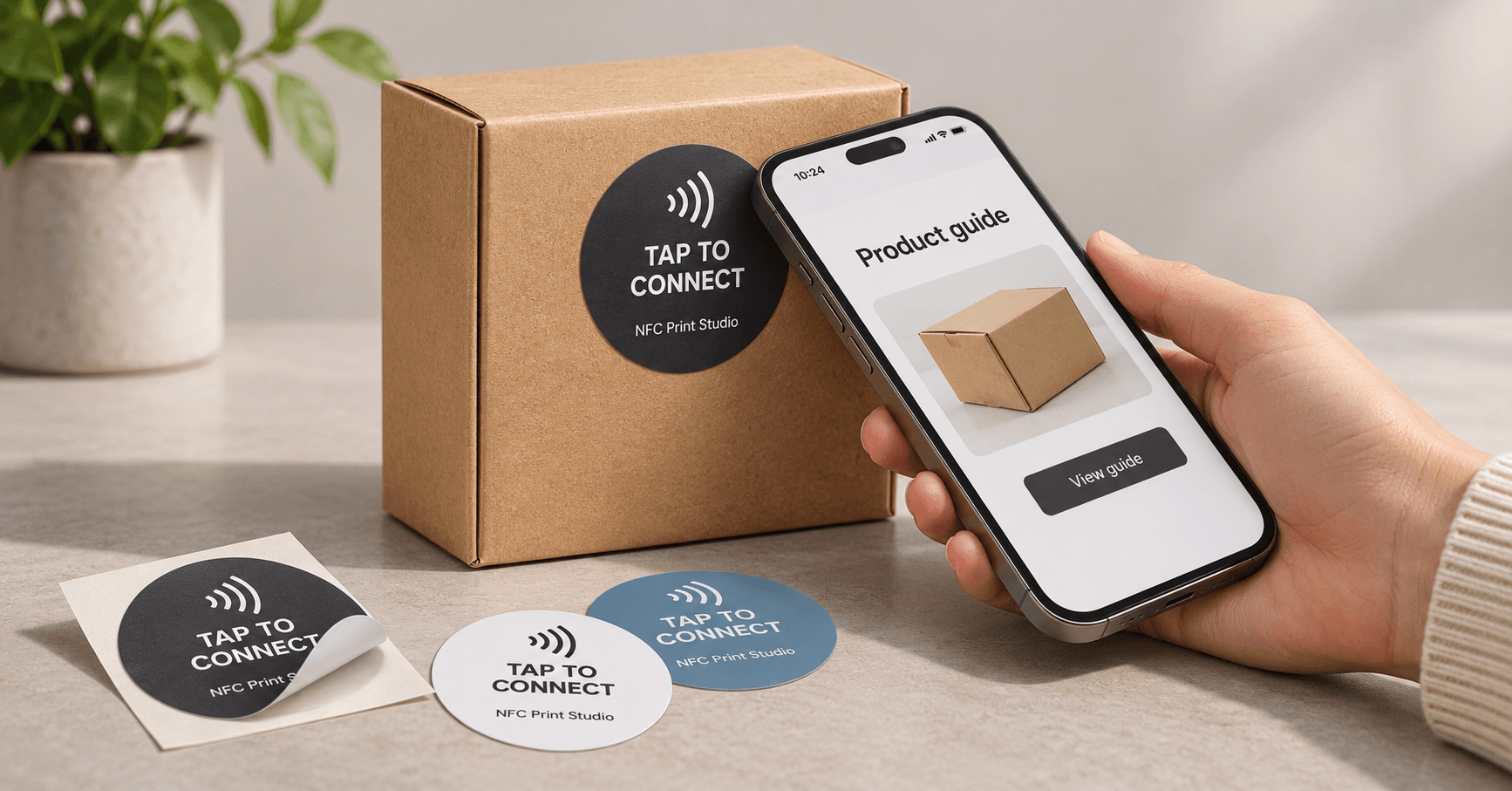
Custom NFC stickers give customers a simple way to move from a physical item to useful online information. Attach one to product packaging, a counter display or a presentation folder, and a compatible smartphone can read the sticker's link to a website, contact profile or promotion.
A customer holding your product could open its setup guide. Someone visiting your booth could save your contact details from a digital profile. A shopper at your counter could view your latest offer. The key is to give each sticker a clear purpose and make the next step easy.
What Are Custom NFC Stickers?
Custom NFC stickers are adhesive labels containing a small Near Field Communication chip and antenna. The printed surface can carry your logo, brand colours, instructions and a QR code, while the chip stores data such as a web address.
The website itself is not stored inside the sticker. For a typical business application, the sticker holds a link that takes customers to content hosted online.
Like NFC business cards, NFC labels connect a physical object to a digital destination. Their adhesive backing makes them useful when you want that connection attached to an existing item.
How Do NFC Stickers Work?
- Bring a compatible phone close to the sticker. The phone's NFC reader powers the passive tag, so the sticker does not need a battery.
- Read the saved link. Depending on the phone, a notification or prompt may appear.
- Open the destination. The customer follows the link to your website, profile or campaign page.
Supported phones can read a standard NFC web link without a separate NFC reader app. An internet connection is needed to load the linked webpage. Phone settings, antenna position and the surface beneath the sticker can affect the experience.
Six Practical Uses for NFC Stickers for Business
1. Link Product Packaging to Instructions
Add a sticker to a box or package so customers can open a setup video, care guide or troubleshooting page. For example, a furniture brand could link each product's packaging to the correct assembly instructions.
Suggested wording: Tap for setup instructions.
2. Share a Digital Contact Profile
Place a sticker on a presentation folder, sample case or portable display. Link it to a profile with your phone number, email, portfolio and an option to save your contact details. This is useful for sales representatives, real estate agents and trade show exhibitors.
Suggested wording: Tap to view my contact details.
3. Open a Promotion or Offer
Use a counter or shelf display to send shoppers to a current promotion. Keep the page focused: explain the offer, show its terms and provide one obvious next step. If the printed label says “View this month's offer,” maintain that destination when the campaign changes.
Suggested wording: Tap to view our current offer.
4. Make Booking Easier
A salon, consultant or service business can place a sticker at reception that opens its booking page. Customers still choose a service and complete the booking themselves; the sticker helps them reach the right page.
Suggested wording: Tap to book your next visit.
5. Connect Displays to Product Details
Give customers access to specifications, colour options, demonstrations or an enquiry form while they are looking at a product. This works well for showroom samples and retail displays. For larger applications, explore how NFC smart posters connect printed advertising to online content.
Suggested wording: Tap to explore this product.
6. Help Customers Reorder
Link a label on suitable packaging to the matching reorder page. A customer running low on supplies can find the correct item without searching your catalogue. Keep the destination useful if the product is replaced or discontinued.
Suggested wording: Tap to reorder.
How to Choose the Right Custom Printed NFC Stickers
Start with where the sticker will be used. Artwork matters, but the tag, adhesive and surface must work together.
- Surface: Standard NFC labels can fail when attached directly to metal. Use an on-metal tag designed for metal equipment, cabinets or displays.
- Environment: Confirm the complete label's suitability for moisture, sunlight, cleaning products and abrasion. A printed finish alone does not establish outdoor durability.
- Size: Leave room for a readable instruction and, if included, a scannable QR code. Test the selected antenna size on the actual item.
- Adhesive: Match the adhesive to the surface and whether the label needs to be permanent or removable.
- Chip: Common NFC label chips include NTAG213, NTAG215 and NTAG216. For a web link, select enough memory for the encoded URL; more memory does not automatically improve reading range.
- Encoding: Decide whether every sticker opens the same page or whether different products, staff members or locations need individual links.
Can You Update an NFC Sticker After Printing?
Yes, depending on how it is configured. There are three different changes to consider:
- Edit the linked webpage: Change its content while keeping the same web address. The sticker continues to open that page.
- Change a managed destination: If the sticker uses a redirect link you control, you can change where that link sends visitors without rewriting the sticker.
- Rewrite the tag: If the chip remains writable, use a compatible phone and NFC writing app to replace the saved URL.
Editing a webpage does not rewrite the chip. A permanently locked tag cannot be rewritten, although the content at its web address can still change. For ongoing promotions, a stable link on a domain you control makes updates easier to manage.
How to Set Up NFC Stickers for Your Business
- Choose one action. Decide whether customers should view a product, save contact details, book a visit or open an offer.
- Prepare the destination. Use a mobile-friendly HTTPS page with a clear heading and an obvious next step.
- Prepare the artwork. Add your branding, a clear tap instruction and a QR code as an alternative.
- Encode the web link. Ask the supplier to programme the tags or use a compatible NFC writing app to save an NDEF URL record.
- Test a sample in place. Check both NFC and QR access on representative iPhone and Android devices after applying the label to its intended surface.
- Protect the final setup. After testing, consider write protection appropriate to your tag. Understand that permanent locking is irreversible.
- Maintain the destination. Review links, promotions and forms regularly so customers continue to reach useful information.
If you want to compare placements, use different campaign links and website analytics. Measure visits and completed actions, such as bookings or enquiries. A basic NFC sticker does not provide analytics by itself, and recorded page visits are not necessarily a count of every physical tap.
NFC Stickers or QR Code Stickers?
NFC lets customers access a link by bringing a compatible phone close to the label. A QR code uses the phone's camera and requires the printed code to be visible and readable.
You can combine both on one sticker. Mark the tap location clearly and leave enough space around the QR code for reliable scanning. Both should lead to the same intended content, even if you use separate tracking links.
For more on the two methods, read our NFC versus QR code guide.
Frequently Asked Questions About NFC Stickers
Do NFC stickers work with iPhone and Android?
Many NFC-enabled iPhone and Android models can read standard NFC web links. Apple supports background tag reading on iPhone XS and later. On Android, NFC may need to be enabled. Compatibility and reading behaviour depend on the device and settings.
Do customers need an app?
A separate NFC reader app is generally unnecessary for standard web links on phones that support background reading. Programming or rewriting a sticker usually requires an NFC writing app or dedicated encoding equipment.
Are NFC stickers waterproof?
Some are designed for wet environments, but others are intended for dry indoor use. Check the supplier's specifications for the complete label, including its protective layers and adhesive, before choosing it for outdoor or washable items.
Do NFC stickers work on metal?
Use stickers specifically designed for direct application to metal. Standard tags can become unreadable on metal surfaces. Test the selected on-metal label on the actual object before ordering a full batch.
Can one NFC sticker share several links?
Yes. Link the sticker to a landing page that displays your website, contact details, social profiles and booking options. The phone opens one page, and the visitor chooses what to access.
Do NFC stickers require a subscription?
The NFC tag itself does not require a subscription. You can link it to a website you manage. Optional services for hosted profiles, editable redirects or analytics may have separate fees, so check what is included.
Plan Your NFC Sticker Project
Start with one useful interaction: instructions on packaging, a contact profile on a display or a booking link at reception. Choose a suitable label, explain where the tap leads and test the complete experience before rolling it out.
Planning custom NFC stickers for your business in Canada? Contact NFC Print Studio to discuss your intended surface, quantity, artwork and destination link, and confirm available options for your project.